For contractors · engineers · architects

Your estimate and schedule, built automatically.

PrimeCost PRO builds a complete Program of Work – the Detailed Unit Price Analysis (DUPA), every Bill of Quantity, PDF plan take-off, an automatic Gantt chart and a ready-to-send quotation.

No card needed for the trial · one-time purchase · works offline · Windows & Mac · ▶ 6-min tutorial
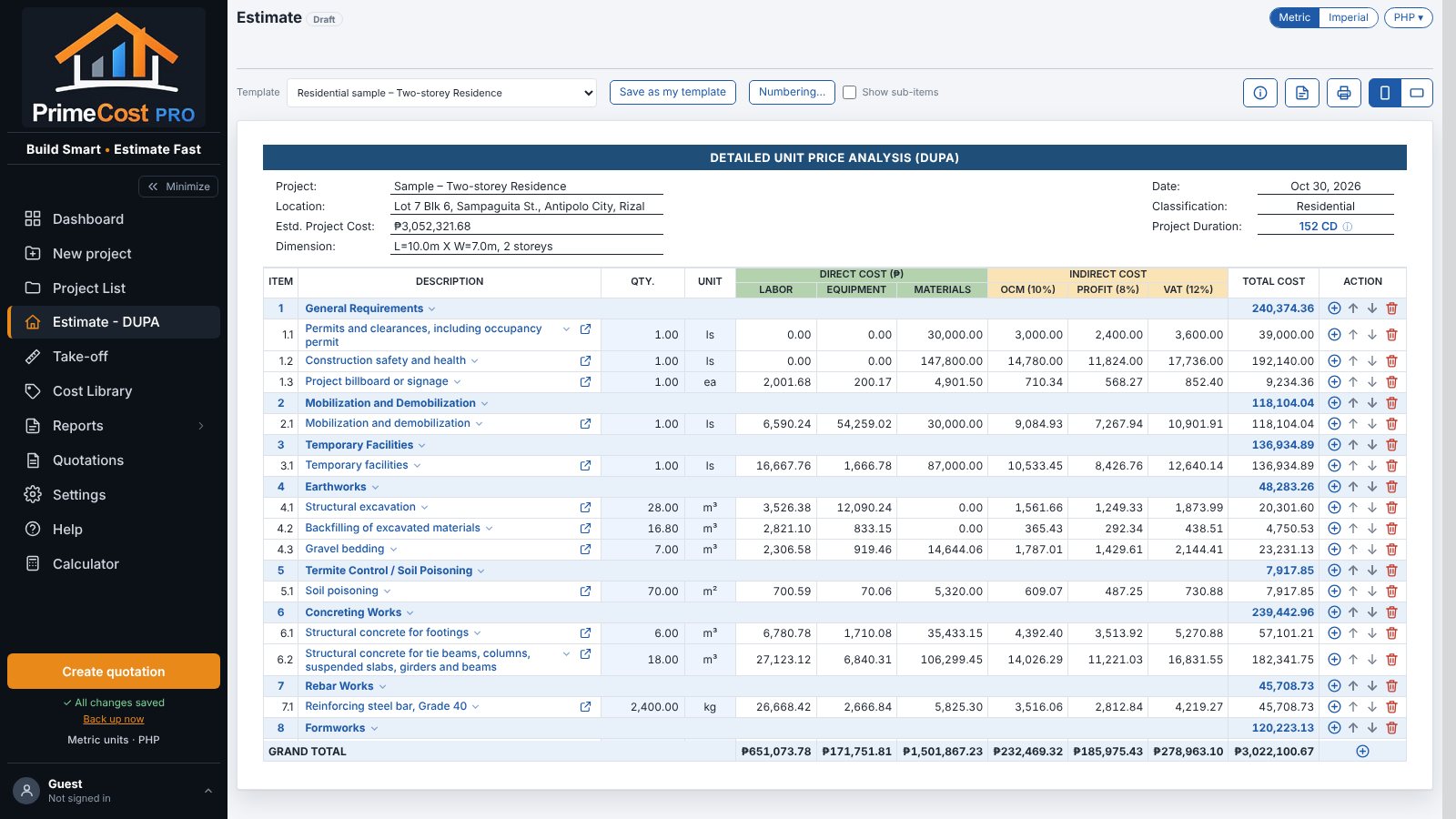
DUPA estimate sheet
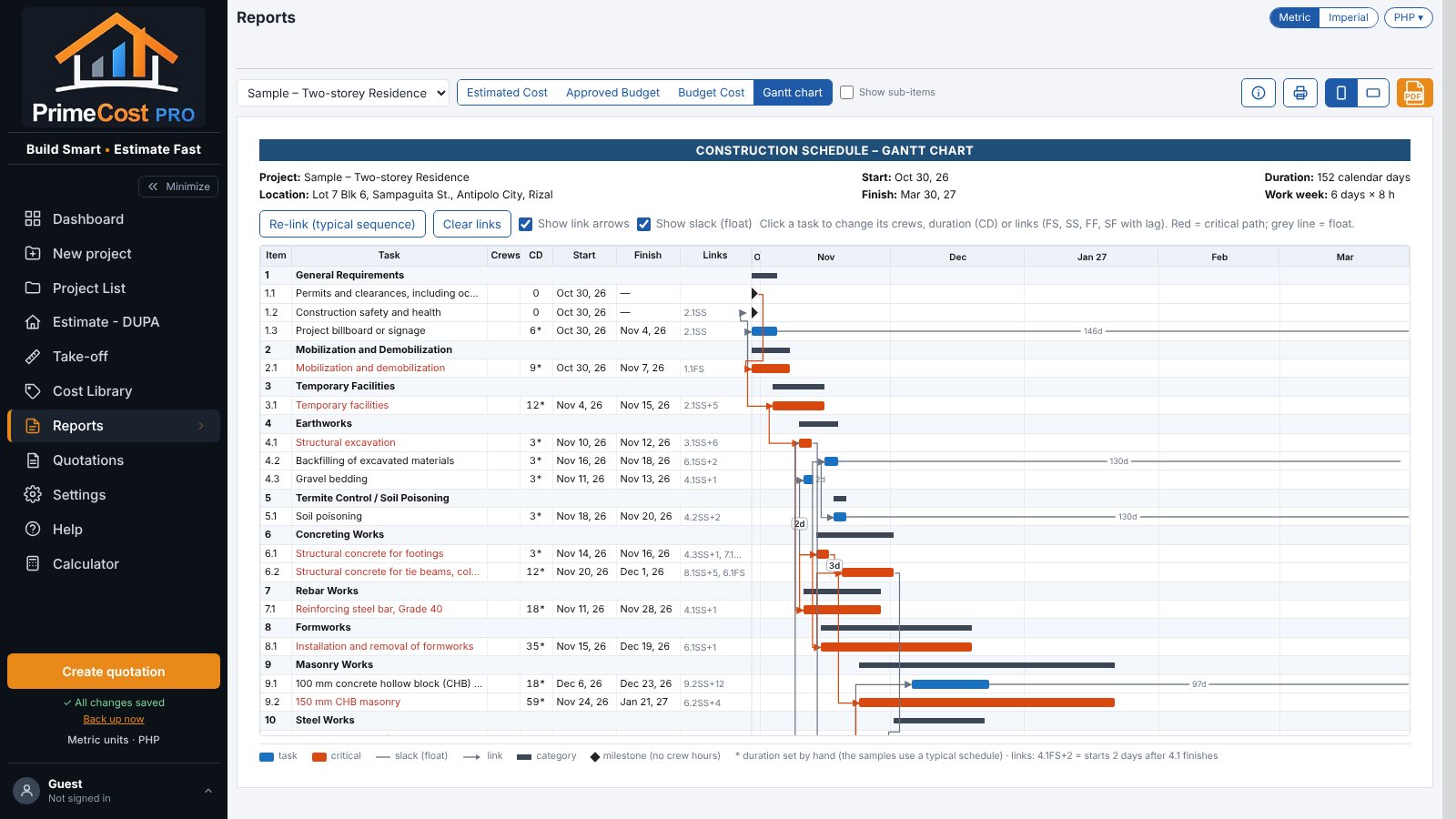
Automatic Gantt chart

Everything for the Program of Work – in one app

From the plans to the quotation, each step feeds the next. Change one number and the whole estimate, schedule and reports follow.

▦

DUPA estimate sheet

Categories and line items with labor, equipment and materials, plus OCM, profit and VAT – up to the total and unit cost.

⚙

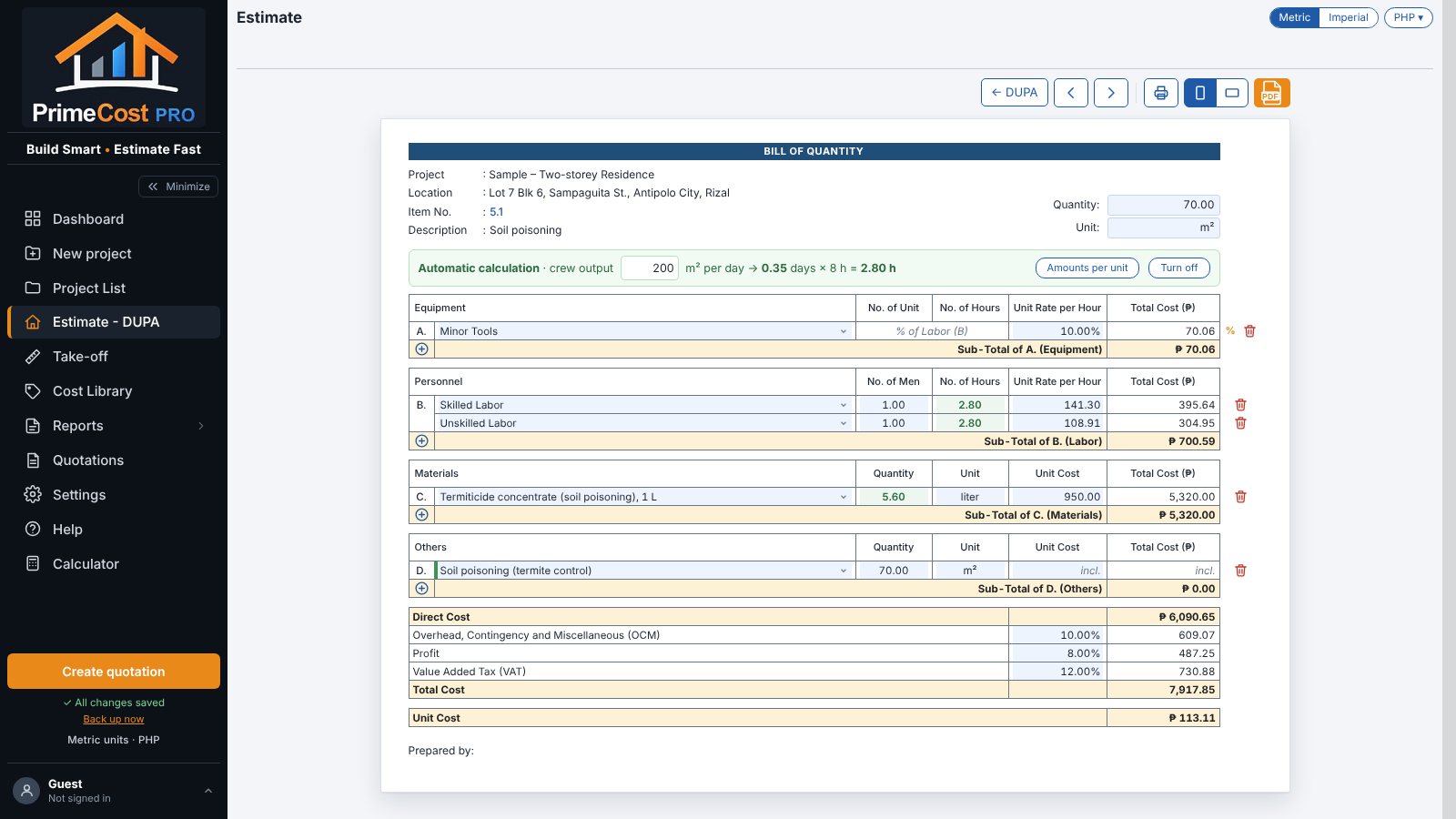
Automatic Bill of Quantity

Materials from the quantity, crew hours from the crew output. Change the quantity and every row updates.

⌗

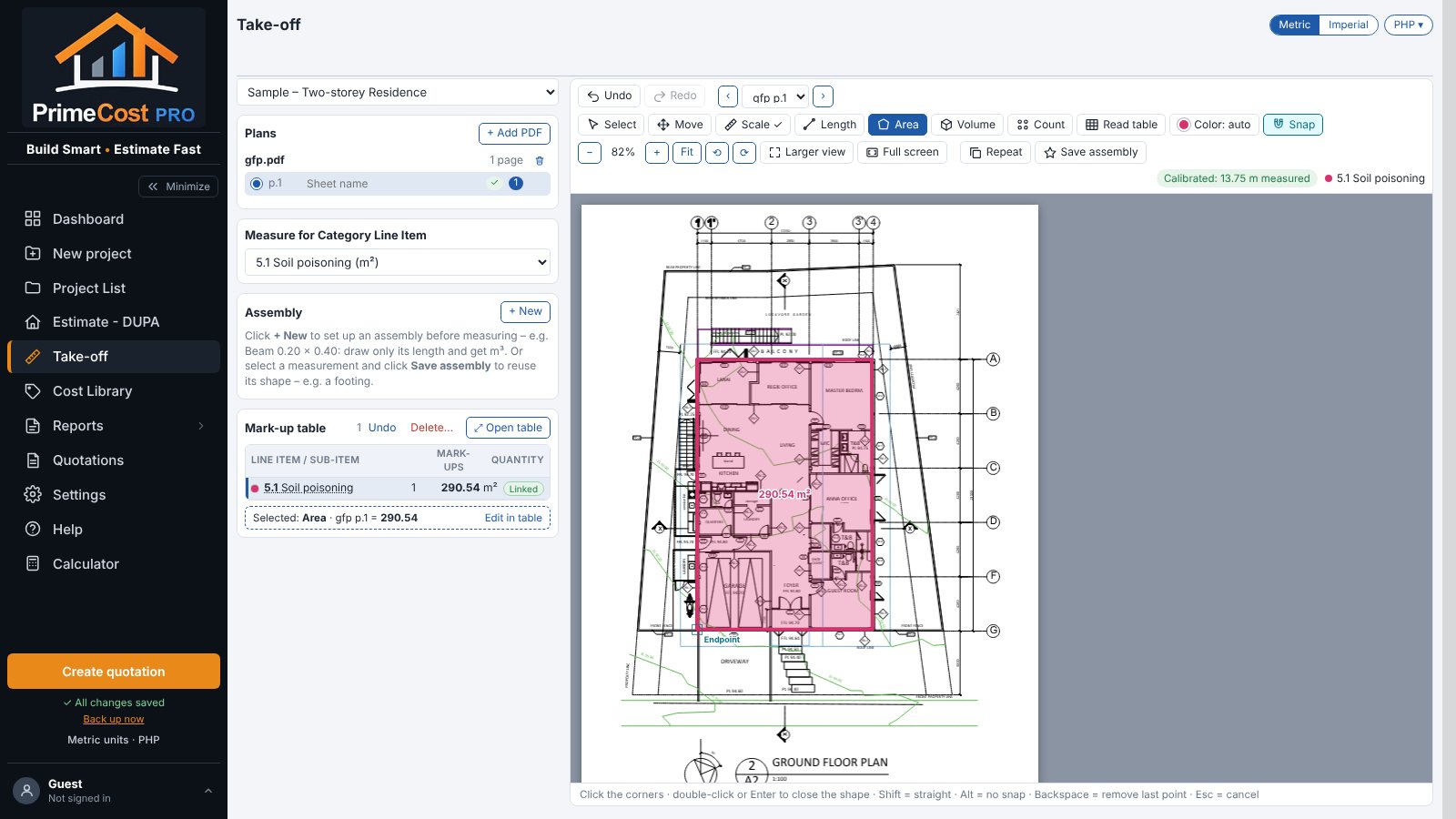
Take-off from PDF plans

Load your plans, set the scale from a known dimension, measure length, area or count – linked straight to the estimate.

▤

Automatic Gantt chart

Durations in calendar days from the crew hours, FS / SS / FF / SF links, critical path and slack – no bars to draw.

₱

Built-in cost library

Equipment, manpower and material rates you can edit with your supplier prices – the estimates update for you.

⎙

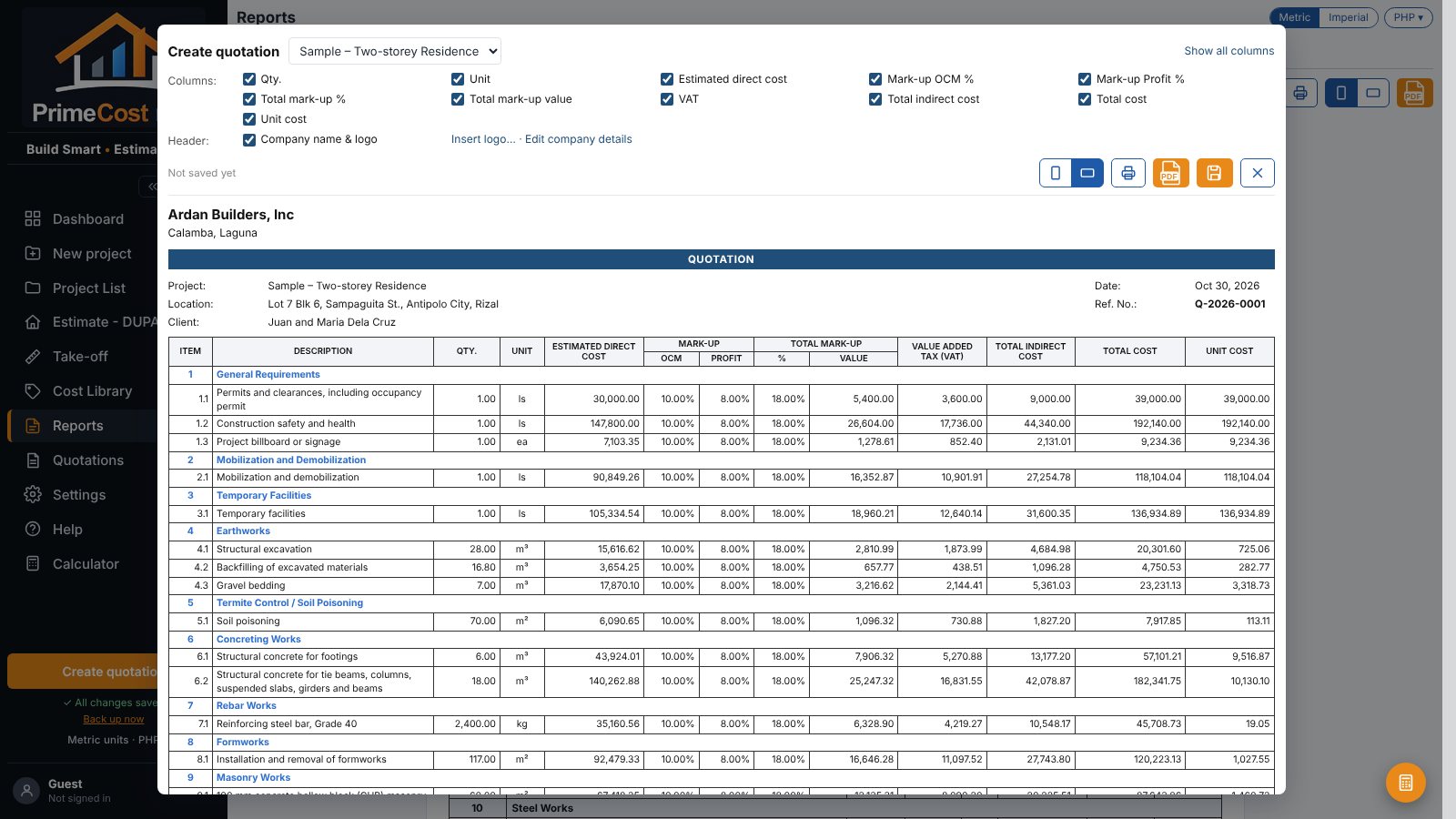
Reports & quotations

Estimated Cost, Approved Budget and Budget Cost forms, plus quotations with their own reference numbers – print or PDF.

How it works

Start from a template – or a filled-in sample – and you have a complete estimate in minutes.

Create a project

Pick a template: residential, commercial, industrial, road and more. Samples come fully filled in.

Measure on your plans

Trace areas and lengths on the PDF – the quantities flow into the estimate.

Review the unit prices

Every line item already has its Bill of Quantity. Adjust rates or crews if you need to.

Print & send

Schedule, reports and quotation are ready – print them or save as PDF.

See it in action

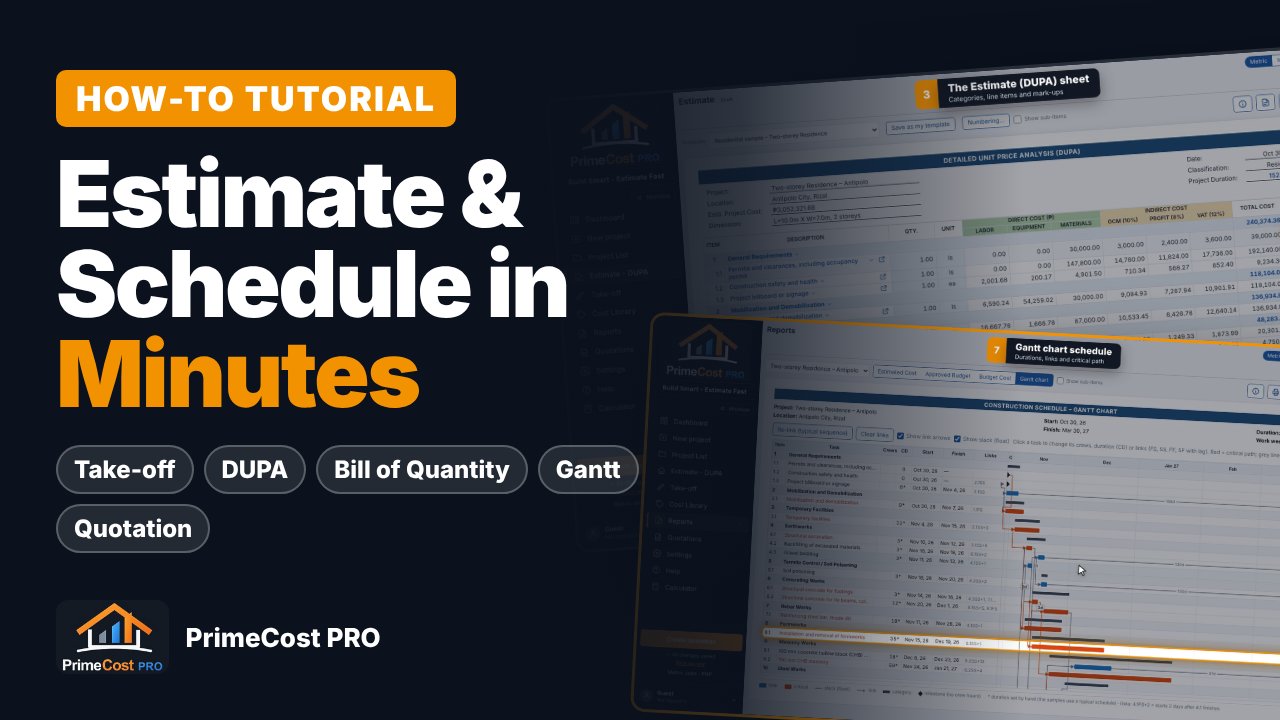
A 6-minute how-to tutorial with chapters – jump straight to the part you need.

PrimeCost PRO how-to tutorial

A closer look

Click a picture to enlarge it.

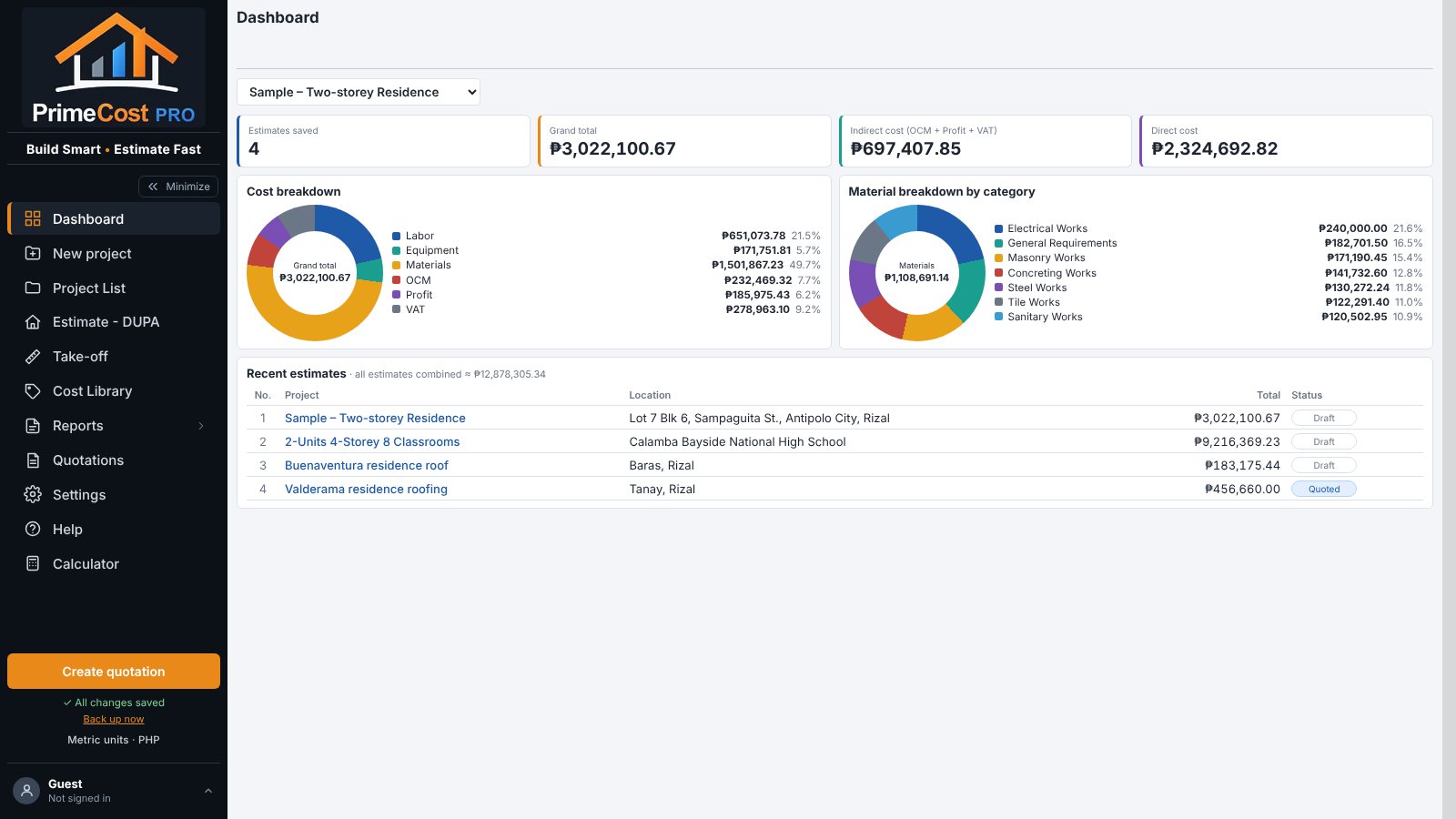
Dashboard
Dashboard – totals and cost breakdown
DUPA
Estimate – Detailed Unit Price Analysis
Bill of Quantity
Bill of Quantity with automatic calculation
Take-off
Take-off on a PDF floor plan
Gantt chart
Automatic Gantt chart with critical path
Quotation
Quotation – print or save as PDF

Choose your plan

One-time payment. Your estimates stay on your own computer – nothing is uploaded.

Standard
For one engineer or estimator
one-time
  • Full app: DUPA, BoQ, take-off, Gantt, reports, quotations
  • 8 templates + filled-in samples
  • Use on 1 computer
  • Free updates for version 2
  • Email support
Buy Standard
Most popular
Professional
For engineers who work at the office and at home
one-time
  • Everything in Standard
  • Use on 2 computers
  • Priority email support
  • Free updates for version 2
Buy Professional
Firm
For construction and design offices
one-time
  • Everything in Professional
  • Use on 5 computers
  • Priority support for the whole team
  • Free updates for version 2
Buy Firm
Not sure yet? Try it free for 7 days.
Everything works except printing and PDF export – no card needed. Your estimates are kept when you buy.
Download free trial
What you needA recent Chrome, Edge or Safari on Windows or Mac.
InternetOnly to activate, and for a quick license check about once a month. You can work offline.
DeliveryInstant download with your license key by email. Secure checkout by Gumroad – card, PayPal and more.

Questions

Still unsure? Email us at .

Do I need to install anything?

No. PrimeCost PRO is a single file that opens in your web browser. Save it to your computer and double-click it.

Where is my data saved?

In your own browser on your own computer. Use Settings › Download backup regularly to keep a copy you can restore on any computer.

How does the free trial work?

Download the trial, open it and click Start free trial. For 7 days everything works except printing and saving PDFs. When you buy, type your license key in the same app (Help › About PrimeCost PRO › License › Enter license key) – your estimates stay.

How many computers can I use it on?

Standard: 1, Professional: 2, Firm: 5. If you change computers, open Help › About PrimeCost PRO › License › Deactivate this computer on the old one first, then activate on the new one.

Does it work without internet?

Yes. Internet is needed once to activate and then for a quick automatic license check about once a month.

Are the unit costs current?

The built-in rates are a starting point based on Philippine references. Enter your own supplier quotes in the Cost Library – the estimates update automatically.

Can I get a refund?

Yes – 7-day money-back guarantee. If PrimeCost PRO is not right for you, email us within 7 days of purchase for a full refund.